Help
How can we help?
The short version: type your game ID, pick a pack, pay. The rest is below.
Finding your game ID
Every game shows it somewhere in your profile. Here is where to look in the most played ones; every product page has its own guide too.
 Mobile Legends: Bang BangUser ID + Zone ID
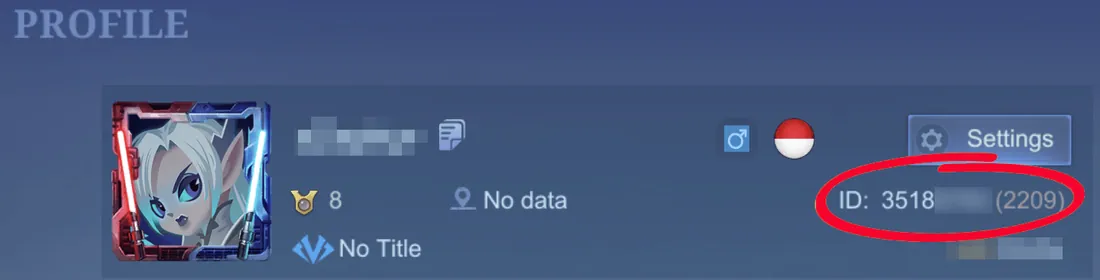
To find your User ID, click on your avatar in the top left corner of the main game screen. Then go to the "Basic Info" tab. Your user ID is shown below your nickname. Please input the complete user ID here, e.g. 12345678(1234).
Top up Mobile Legends: Bang Bang Genshin ImpactUID + Server
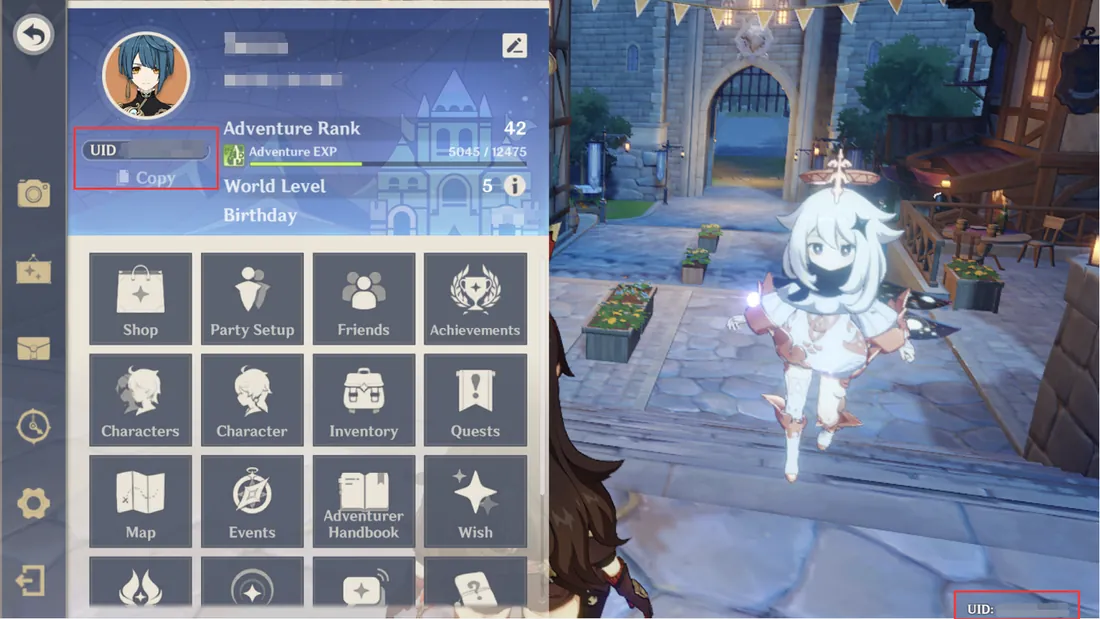
To find your UID, login to your account in the application. Click on the profile button at the top left corner. You will find your UID under your avatar. Please enter your UID here. Alternatively, you can also look at the bottom right hand corner, you can find your UID here
Top up Genshin Impact Honkai: Star RailUser ID + Server
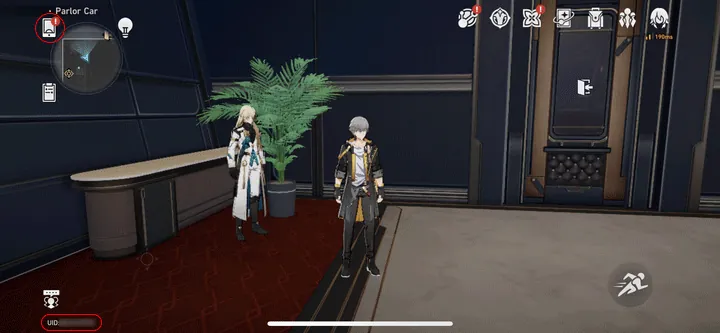
To find your UID, login to your account in the application. The UID is always visible in the bottom left corner of the screen. The UID is also visible in the Phone Menu.
Top up Honkai: Star Rail Zenless Zone ZeroUID + Server
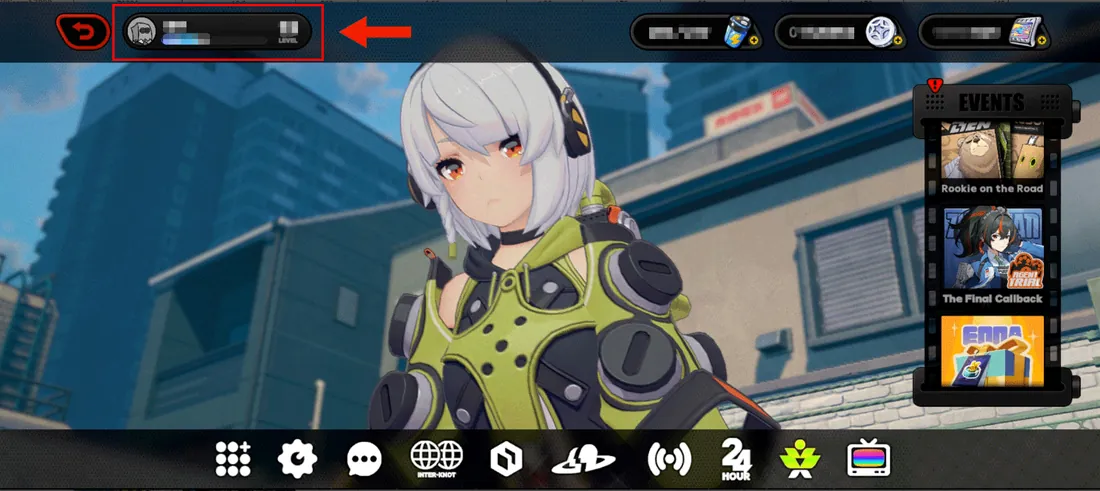
To locate your UID, log in to your account within the application. Tap on your username in the top left corner, and the UID will be displayed on the left side.
Top up Zenless Zone Zero Free FireUser ID
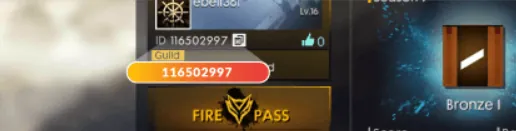
Tap the avatar to enter your profile information. The User ID (UID) is below your character information.
Top up Free Fire VALORANTRiot ID
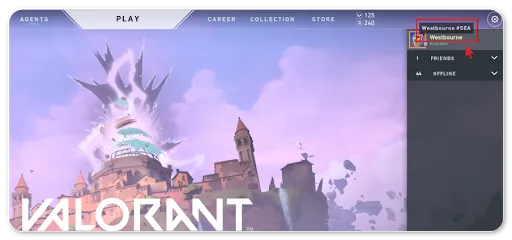
To find your Riot ID, please select your profile page and copy your Riot ID+Tag using the button next to your Riot ID. (Example: Westbourne#SEA)
Top up VALORANT Magic Chess: Go GoUser ID + Zone ID
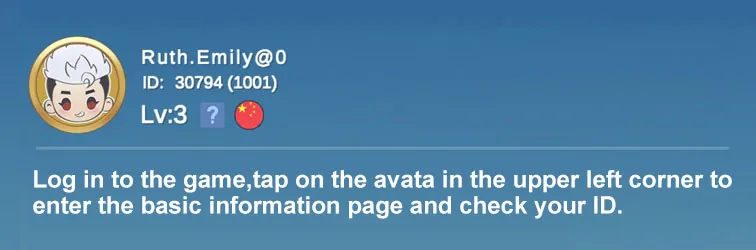
Log in to the game, tap on the avatar in the upper left corner to enter the basic information page and check your ID
Top up Magic Chess: Go Go EA SPORTS FC™ MobileUID
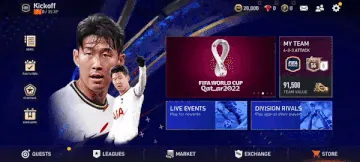
To find your UID, open FC Mobile, click the setting button and click the copy button on the right of your UID.
Top up EA SPORTS FC™ Mobile Love and DeepspaceUser ID
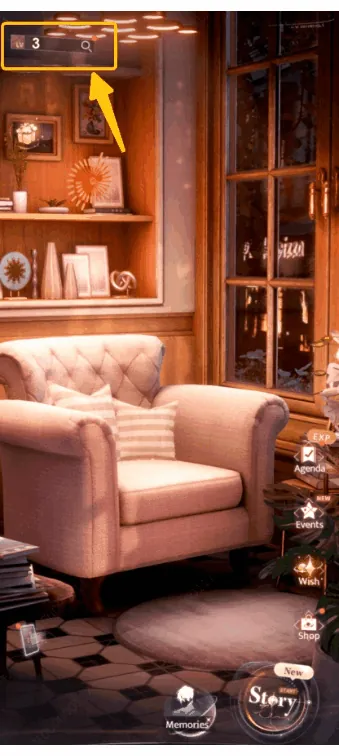
Tap the magnifying glass icon in the top left-handed corner of the Home Screen to check your Hunter Number.
Top up Love and Deepspace League of Legends: Wild RiftRiot ID
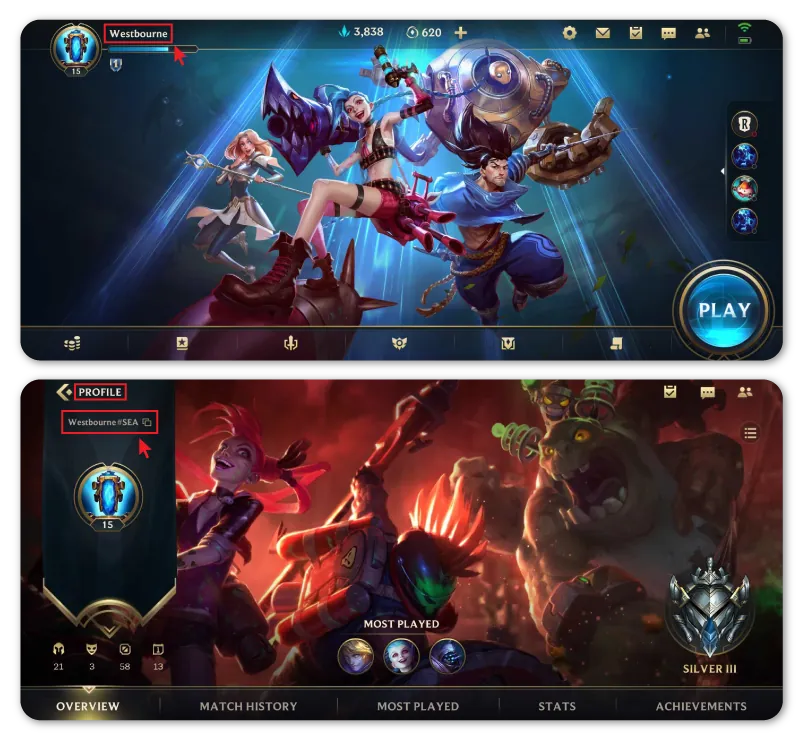
To find your Riot ID, please select your profile page and copy your Riot ID+Tag using the button next to your Riot ID. (Example: Westbourne#SEA)
Top up League of Legends: Wild RiftPaying
Which payment methods can I use?
Touch ’n Go eWallet, GrabPay, Boost, ShopeePay, MAE, FPX online banking, debit or credit card, and mobile credit from Celcom, Digi or U Mobile. A few products also take Google Pay or Apple Pay. Each product page shows which ones work for it.
Why does the price change when I pick another method?
Providers charge differently, so the same pack can cost a little more or less. The price for every method is shown before you pay, and the lowest is marked.
Money left my account but the order says it's waiting
Give it a few minutes and refresh the receipt. If it still says waiting, message us with your order number (it starts with ACZ) and we will check it with the payment provider.
Can I get a refund?
Top-ups and codes are delivered straight away, so a completed purchase can’t be cancelled because you changed your mind. If you were charged wrongly or more than once, we put it right. See the terms of sale.
Codes and keys
Where is my gift card or game key code?
On the receipt page as soon as the payment is complete. You can open past receipts any time from Orders on the same device.
How do I redeem it?
Redeem it where you use the product: the Steam client for Steam keys and wallet codes, the game itself for in-game codes. Each product page explains its own steps.
Still stuck?
Message us with your order number and what happened. Our support team is always ready to help.
Message us on WhatsApp